softosaur

Prepared from documented information
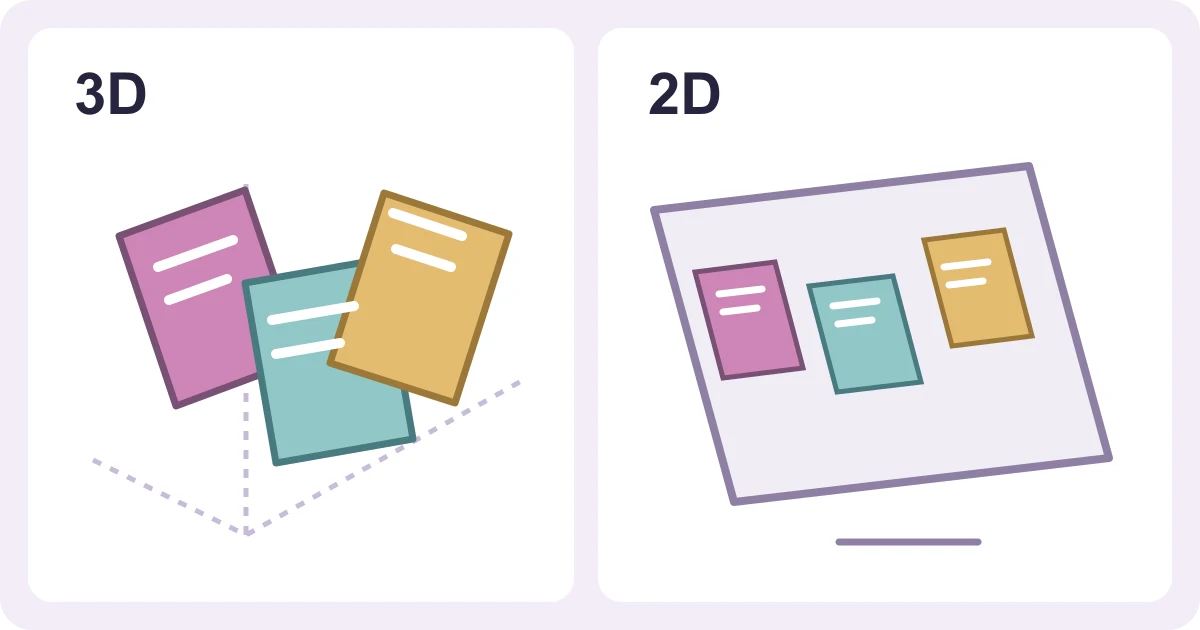
Figma’s new 3D transform lets you tilt a card while keeping its text editable. With several cards, the important choice sits one level up: should the containing frame preserve the space between them, or present the composition on a flat plane? Make that decision before handing the design to a developer.
Figma announced the effect on November 12. It answers a long-running request: in an older forum discussion, designers asked for native transforms that matched CSS. The new capability makes it worth revisiting how those scenes are built and explained.
Keep the scene separate from each card’s tilt
Consider a hypothetical website banner with three angled product cards. A designer needs to change their labels and move one card nearer the viewer. An image of the finished arrangement would show its appearance, but would not give the developer the source layers and their settings.
Figma’s 3D effects guide says the underlying layers remain editable. Apply rotation and Depth (how far forward or back each card sits) to the cards, then check the frame containing them. Keep nested layers 3D preserves their positions in a shared space; Perspective on a parent frame controls how near and far objects appear. Changing Depth alone may not produce a visible result without the relevant parent settings.
The containing frame’s settings affect how the cards appear together. A useful review checks both the individual card and the arrangement it belongs to.
Decide what the containing frame must do
There is a trade-off. Figma disables or hides several parent-frame properties while nested layers share 3D space, including opacity and clipping. Existing parent fills and strokes are hidden. Plan for this if the banner needs a background, clipped edges or a group fade.
Figma offers Turn into flat plane when those frame properties are needed. The nested composition is displayed on that frame’s 2D plane; its shared 3D space ends there. A higher frame then receives the flattened composition.
Choose the mode for the intended result. Separate cards at different depths call for a shared scene. A finished composition placed inside a flat poster may suit a flat plane. Record which frame makes that choice so someone editing an outer container does not have to infer it from the picture.
Hand over the parent settings with the angles
The documentation maps Depth to CSS translateZ, the nested-layer mode to transform-style, and Perspective to perspective. Include those parent settings alongside each card’s rotation when describing the implementation.
The browser side needs its own check. The MDN reference for transform-style explains that it is not inherited. It also lists values that force a flattened representation, including opacity below 1 and overflow: hidden, even when preserve-3d is specified. A newly added wrapper or fade therefore deserves attention during implementation, rather than another round of angle adjustments in the design file.
Check access before scheduling the handoff. The effect is available on all plans; authoring it requires a Full seat and edit access. Figma’s Dev Mode guidance places Dev Mode on paid plans with Full or Dev seats; basic inspection remains available without it. The author and the person inspecting the result may have different access.
For the banner example, deliver the editable scene and a short note naming the 3D parent, its perspective and any deliberate flat-plane boundary. Compare the implemented result with the intended view. Copied CSS values help communicate the design; the browser’s actual hierarchy still determines how the scene is drawn.